AWS (Amazon Web Services) is the world's most comprehensive and broadly adopted cloud platform. Getting started can be overwhelming due to the sheer number of services (over 200!). This guide breaks down the essentials to help you launch your cloud journey effectively.
1. Why AWS?
AWS offers reliable, scalable, and inexpensive cloud computing services. Whether you are a startup or a large enterprise, AWS provides the infrastructure you need to build and deploy applications.
Key benefits include:
- Cost-Effective: Pay only for what you use.
- Scalable: Scale resources up or down based on demand.
- Secure: Benefit from a data center and network architecture built to meet the requirements of the most security-sensitive organizations.
2. Core Concepts: Regions and Availability Zones
Before diving in, it's crucial to understand the global infrastructure:
- Regions: Physical locations around the world where AWS clusters data centers. Examples include
us-east-1(N. Virginia) andeu-central-1(Frankfurt). - Availability Zones (AZs): Discrete data centers with redundant power, networking, and connectivity within a Region. Using multiple AZs allows you to build highly available applications.
3. Creating Your AWS Account
To start using AWS, you need an account.
The Free Tier
AWS offers a Free Tier which includes:
- Always Free: Services like AWS Lambda (1 million requests/month) and DynamoDB (25GB storage) that are free indefinitely.
- 12 Months Free: Services like EC2 and S3 have specific free limits for the first year.
- Trials: Short-term free trials for specific services.
Step-by-Step Account Creation
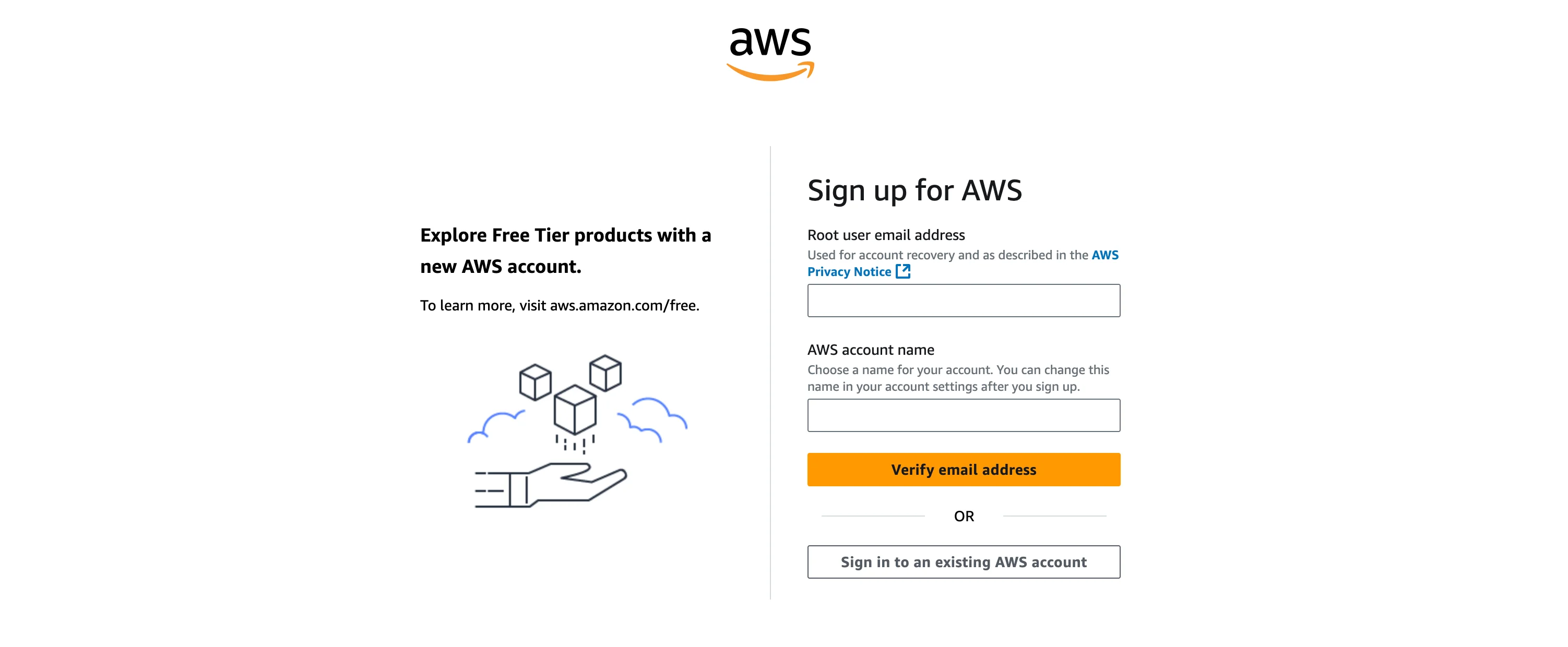
- Go to the AWS Sign-Up Page.
- Enter your email and choose an AWS account name.
- Provide your contact information.
- Enter payment information (required for identity verification, even for the Free Tier).
- Verify your identity via phone.
- Select a support plan (Basic is free).
4. Securing Your Account (IAM & MFA)
The account you created is the Root User. It has unlimited access.
Security Best Practices:
- Enable MFA (Multi-Factor Authentication): Go to the Security Credentials page and activate MFA for your root user immediately.
- Create an Admin User: Avoid using the root user for daily tasks. Instead, use IAM Identity Center or create an IAM User with AdministratorAccess.
- Lock Away Root Credentials: Store your root email and password securely and only use them for billing or account management tasks.
5. Setting Up the AWS CLI
The AWS Command Line Interface (CLI) allows you to manage services from your terminal.
Installation
For macOS (Homebrew):
brew install awscli
For Linux (Ubuntu/Debian):
sudo apt-get install awscli
For Windows, download the installer from the official AWS documentation.
Configuration
After installing, configure your credentials:
aws configure
You will be prompted for:
- AWS Access Key ID: (From your IAM user)
- AWS Secret Access Key: (From your IAM user)
- Default region name: e.g.,
us-east-1 - Default output format:
json
Verify the installation:
aws sts get-caller-identity
6. Infrastructure as Code (IaC)
As you grow, manually clicking through the console becomes unmanageable. Infrastructure as Code lets you define your resources in files.
Popular tools include:
- Terraform: Open-source, multi-cloud.
- AWS CDK: Define infrastructure using programming languages like TypeScript or Python.
- Pulumi: Another popular multi-cloud option.
7. AWS Organizations
If you manage multiple environments (Dev, Staging, Prod), use AWS Organizations to centrally manage billing, compliance, and security across multiple AWS accounts.
8. Essential Security Tips
- Delete Default VPCs: If you aren't using them, remove default VPCs to reduce attack surface.
- Block S3 Public Access: Enable "Block Public Access" at the account level.
- Encrypt Everything: Enable encryption for EBS volumes and S3 buckets by default.
Frequently Asked Questions (FAQ)
1. Is AWS Free Tier really free?
Yes, but with limits. For example, you get 750 hours of t2.micro or t3.micro EC2 instances per month for the first year. If you exceed this, you pay. Always set up Billing Alarms.
2. Which region should I choose?
Choose the region closest to your users to minimize latency. Also, consider data sovereignty laws (e.g., GDPR in Europe) and service availability.
3. How do I stop getting charged?
Terminate all running instances (EC2, RDS) and delete resources like NAT Gateways and Elastic IPs when not in use.
For more expert guidance, check out our AWS Consultancy and Kubernetes Consultancy services.
Source: https://awsfundamentals.com/blog/aws-getting-started