Secure Sandboxing for AI Code Execution with AWS Lambda
Running untrusted, AI-generated code in production presents a tricky problem. Any developer building AI applications that generate code on the fly faces this challenge. You need strong security to prevent malicious or resource-heavy code from breaking your system, plus the ability to scale when workloads spike unpredictably.
This guide explores how to solve this challenge by building a secure, isolated execution environment on AWS Lambda.
The Initial Approach: WebAssembly in the Browser
Our first instinct was to push the security risk to users' browsers using WebAssembly (specifically WebR). This approach had clear advantages: zero infrastructure costs and natural scaling.
However, it revealed critical limitations:
- Missing dependencies: 'Almost everything' isn't enough for production.
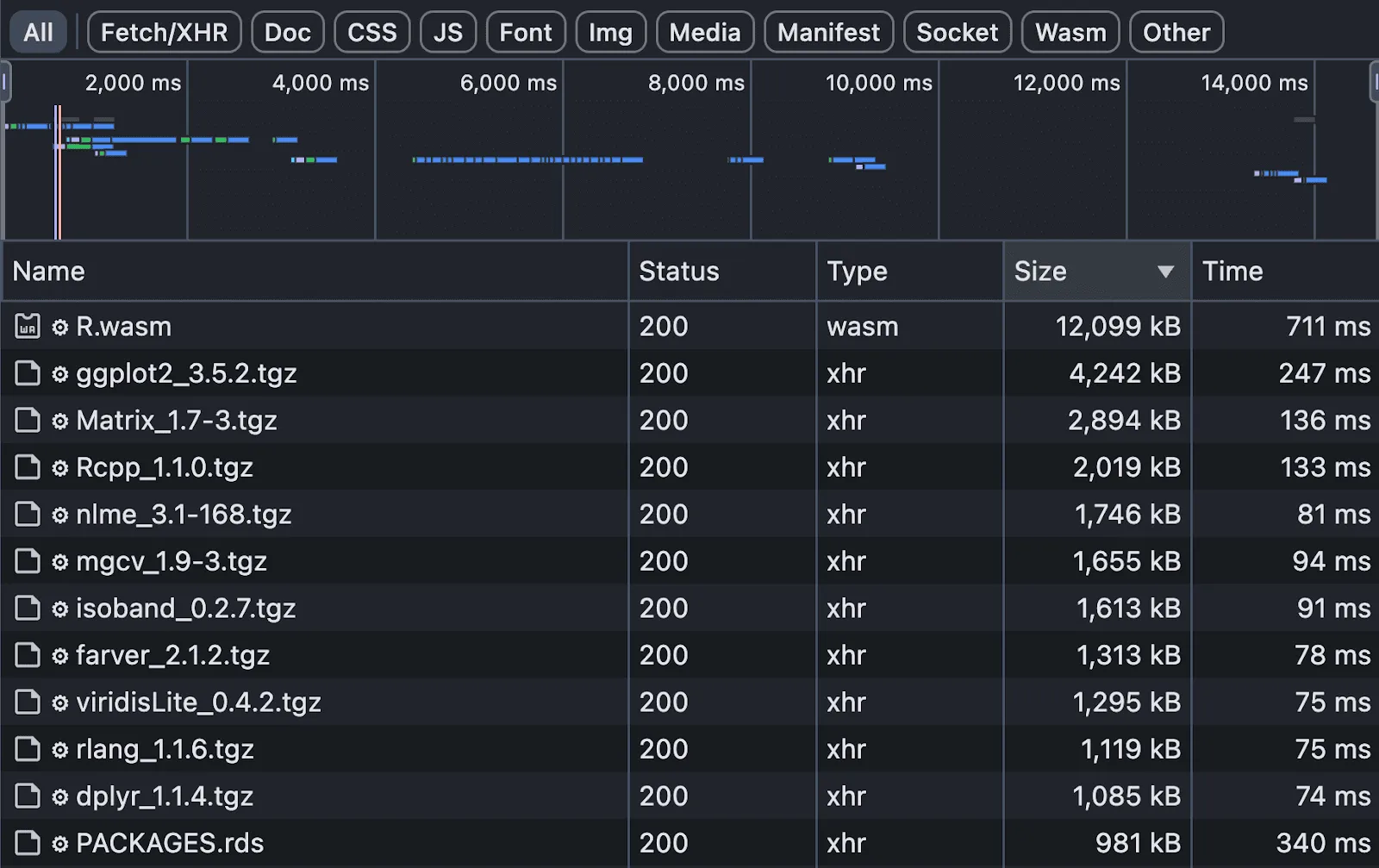
- Performance bottlenecks: Huge download sizes (12MB to 92MB) created unusable experiences on slow connections.
- Complex data flows: Real applications need to save results and analyze outputs, creating complicated back-and-forth communication.
The Solution: AWS Lambda and Docker
Moving code execution to AWS Lambda solved our main problems. We built a custom Docker container image with a specific version of R, bundling all necessary dependencies.
Why Docker on Lambda?
- Consistency: Eliminates dependency gaps.
- Timeouts: Lambda's configurable timeout (e.g., 30s) prevents infinite loops.
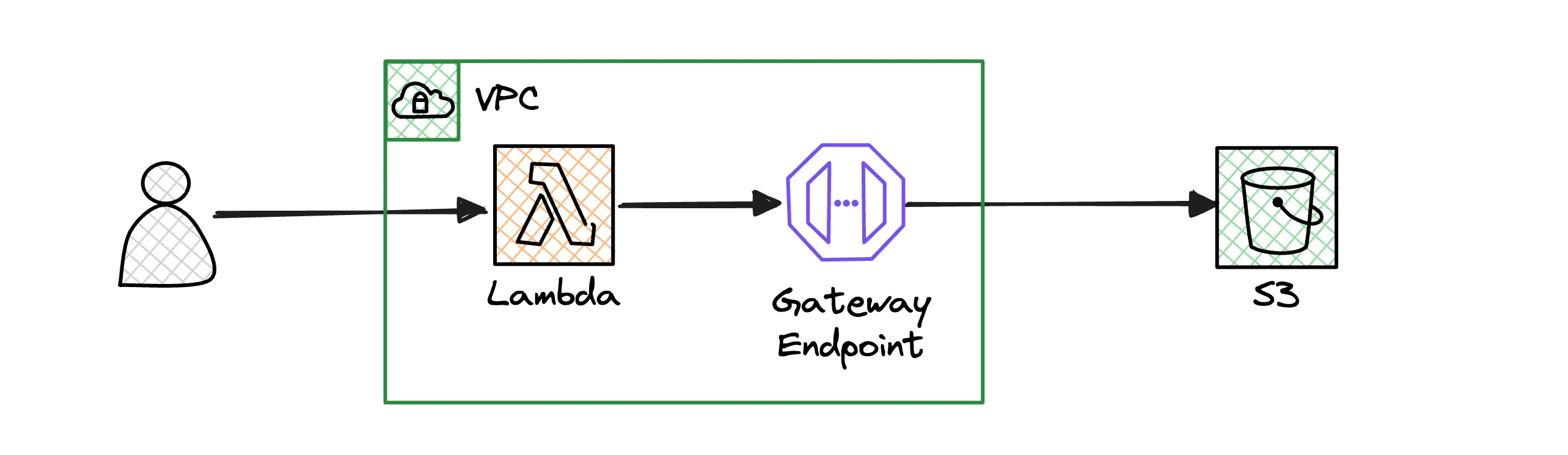
- Simplified Flow: User sends prompt -> Backend -> Lambda executes -> S3 saves result.
Network Isolation with VPC
Security required complete network isolation. Our Lambda functions run inside a Virtual Private Cloud (VPC) with no access to the public internet.
Key Security Measures
- Private Subnets: Lambda runs in private subnets with no Internet Gateway.
- VPC Endpoints: We configured a VPC Gateway Endpoint for S3. This allows the function to read/write data to S3 without traffic ever leaving the AWS network.
Step-by-Step: Architecting the Sandbox
Here is how you can set up a similar environment:
-
Create a Docker Image: Create a
Dockerfilethat installs your runtime (Python, R, etc.) and all required libraries.FROM public.ecr.aws/lambda/python:3.11 COPY requirements.txt . RUN pip install -r requirements.txt COPY app.py . CMD ["app.handler"] -
Configure VPC: Create a VPC with private subnets. Ensure there is no NAT Gateway or Internet Gateway attached to these subnets to enforce isolation.
-
Deploy Lambda: Deploy your Docker image to Lambda. Configure it to use the private subnets of your VPC.
-
Set up S3 Gateway Endpoint: Go to VPC Console -> Endpoints -> Create Endpoint. Select 'AWS services', choose
com.amazonaws.region.s3(Gateway), and attach it to your VPC's route table.
Real-World Insights
The Lambda Memory-CPU Quirk
On AWS Lambda, CPU power scales with memory. For CPU-bound tasks (like generating complex charts), you might need to provision 2048MB of RAM to get sufficient CPU power, even if your code only uses 200MB.
Hybrid Development Workflow
Don't try to replicate the cloud locally. Run your main web service locally, but connect it to a shared Lambda function in a dedicated AWS development environment.
Conclusion
While WebAssembly is great for isolated compute, AWS Lambda is the better choice for complex workflows requiring backend integration. The combination of Docker, VPC isolation, and automatic scaling provides a robust sandbox for untrusted code.
For more on container orchestration, consider looking into Kubernetes if your needs outgrow Lambda.