Generate AWS Architectural Diagrams with Amazon Q and MCP
Generate AWS Architectural Diagrams with Amazon Q and MCP
There's a simple rule: "Buy Fried Chicken where Fried Chicken is being made." The core idea is that if you want the highest quality of a specific product, go directly to the source that specializes in making it.
How does this apply to AWS diagrams? It means the best AWS architecture diagrams are generated by AWS. You get the most accurate, up-to-date, and visually compliant results when you use AWS's own tools, like Amazon Q, because they are the original makers of the architecture.
In this article, I will guide you through setting up Amazon Q with two MCP servers that handle diagram generation.
Prologue: The Diagram Challenge
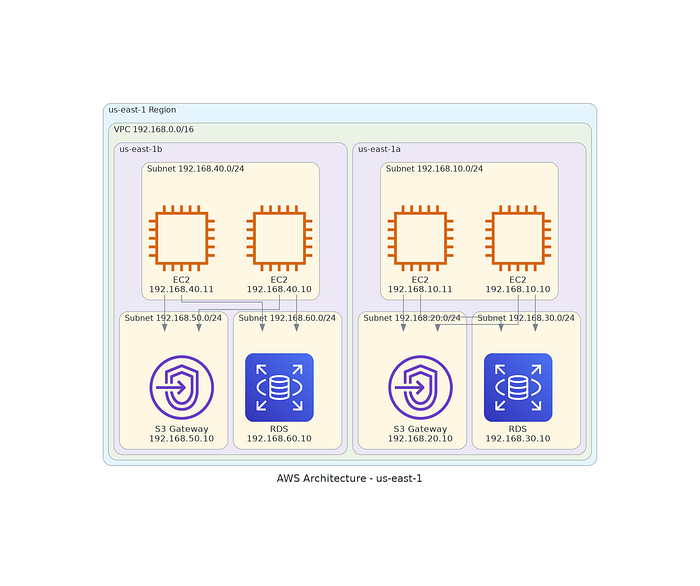
Have you ever needed a high-quality diagram for your AWS architecture? While AI tools like Gemini or ChatGPT can help, the results often vary in accuracy.
When asking for a standard AWS architecture diagram, generic AI models might miss specific icons or structural nuances. Amazon Q, however, leverages its deep knowledge of the ecosystem to produce superior results.
What are MCP Servers?
MCP (Model Context Protocol) Servers are programs that act as a secure, standardized bridge between an AI agent (such as Amazon Q) and external resources.
They provide key functionality such as:
- External Access: Giving LLMs access to real-time, external context.
- Capability Exposure: Exposing specific functionalities as tools.
- Security: Enforcing authentication and data safety.
For this use case, the MCP servers provide:
- Diagram Server: Responsible for creating proper AWS architecture diagrams.
- Documentation Server: Responsible for accessing current AWS service details.
Installation and Setup
After installing Amazon Q, we can install the MCP servers using pip or uv.
pip install uv
uv python install 3.12
We also need Graphviz for rendering:
sudo apt install graphviz
Then, add the MCP servers to your Q configuration (~/.aws/amazonq/mcp.json):
{
    "mcpServers": {
        "awslabs.aws-diagram-mcp-server": {
            "command": "uvx",
            "args": ["awslabs.aws-diagram-mcp-server"],
            "disabled": false
        },
        "awslabs.aws-documentation-mcp-server": {
            "command": "uvx",
            "args": ["awslabs.aws-documentation-mcp-server@latest"],
            "disabled": false
        }
    }
}
Test your setup:
q chat
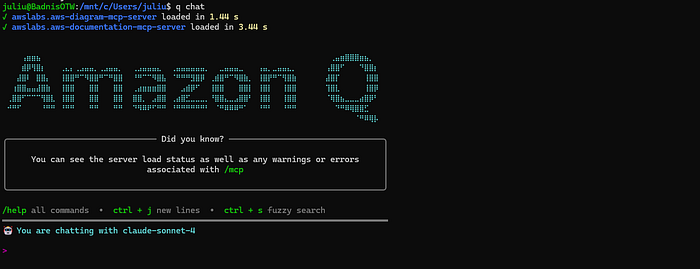
You are now ready to generate diagrams! Whether you are visualizing Kubernetes clusters, Amazon EKS setups, Docker containers, or Jenkins pipelines, Amazon Q can help streamline your documentation.
In modern DevOps workflows, accurate visualization is crucial. By combining Amazon Q with MCP, you ensure your architectural diagrams are always audit-ready and technically accurate.