Masking Sensitive Data with CloudWatch Logs Data Protection
When managing logs in your AWS environment, sensitive data (PII, credit card numbers, API keys, etc.) accidentally leaking into logs can pose a significant security risk. Amazon CloudWatch Logs allows you to automatically detect and mask this data using Data Protection Policies.
In this article, we will explore how to secure your sensitive data using CloudWatch Logs Data Protection features.
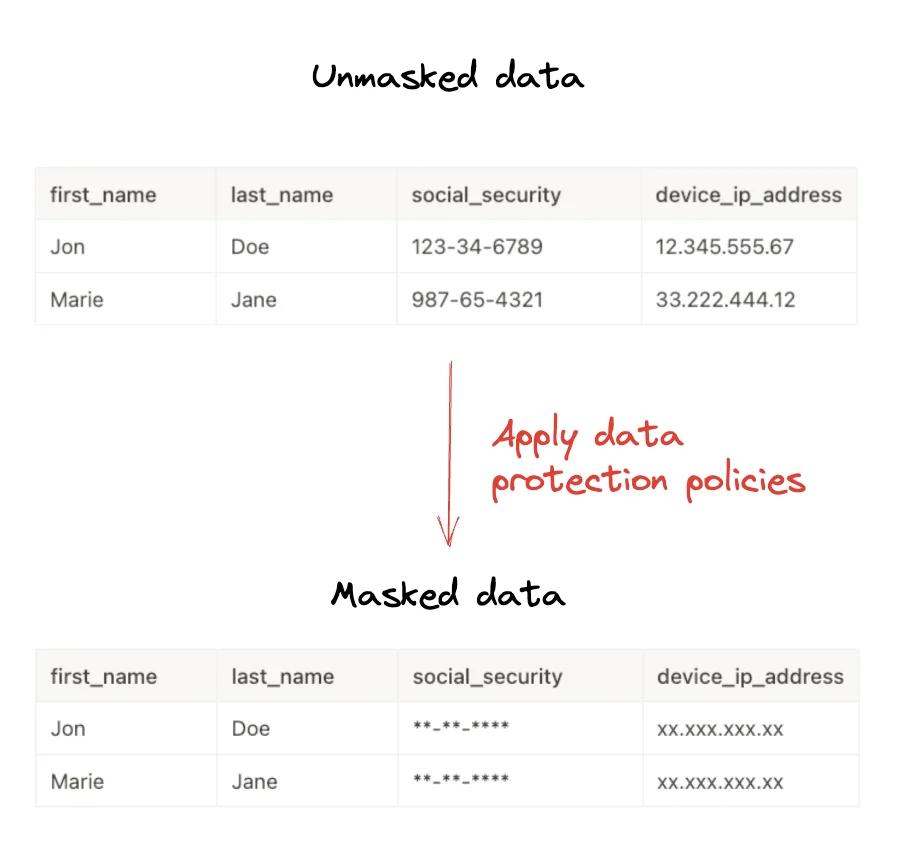
What is CloudWatch Logs Data Protection?
CloudWatch Logs Data Protection uses machine learning and pattern matching to identify and protect sensitive data in your log groups. With this feature, you can:
- Audit: Report where sensitive data is found.
- De-identify: Mask sensitive data (e.g.,
***) to prevent unauthorized access.
Policies can be applied at two levels:
- Account Level: Applies to all existing and future log groups.
- Log Group Level: Applies only to a specific log group.
Data Identifiers
AWS provides managed data identifiers for common sensitive data types. These include:
- Credentials: AWS Secret Keys, Private Keys, etc.
- Financial Information: Credit card numbers, bank account numbers.
- PII (Personally Identifiable Information): Email addresses, IP addresses, driver's license numbers, passport numbers.
- PHI (Protected Health Information): Health insurance numbers.
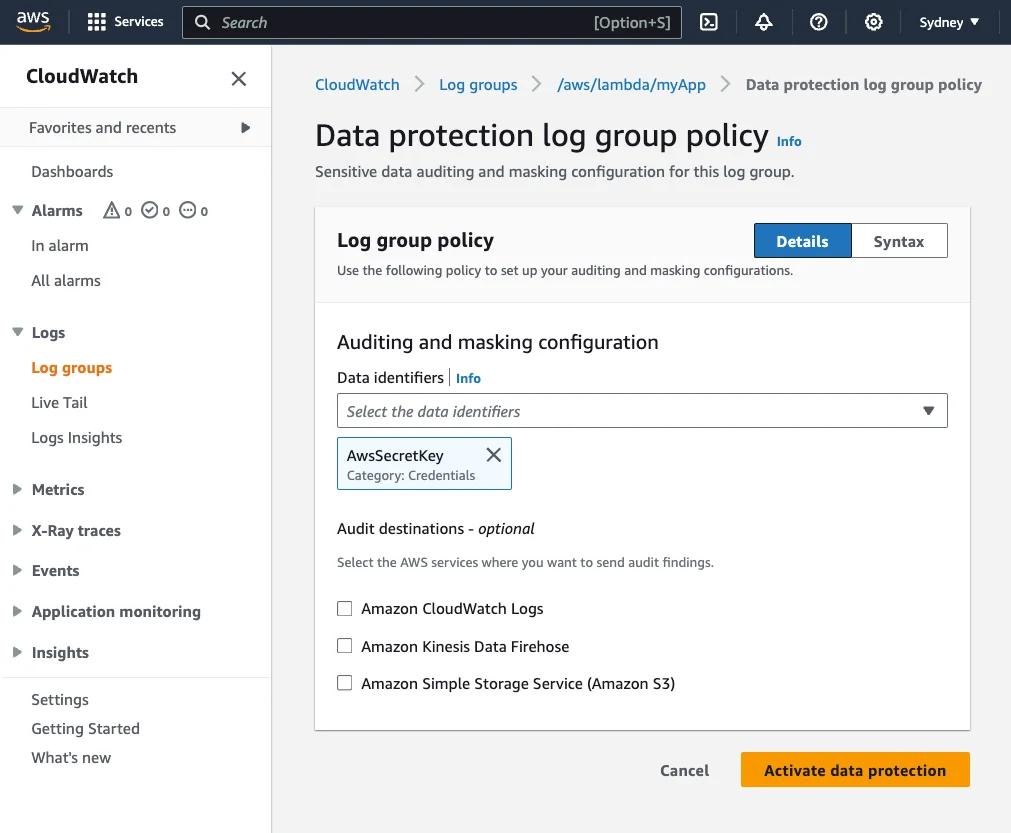
These identifiers may vary by region and country (e.g., US driver's license format differs from other countries).
Step-by-Step Guide: Masking Sensitive Data
The fastest way to create a data protection policy for a log group is using the AWS CLI or Console. Below is an example of adding a policy to a log group using the AWS CLI.
1. Prepare the Policy File
First, create a file named policy.json. In this example, we mask email addresses and US driver's license numbers:
{
  "Name": "data-protection-policy",
  "Description": "Policy to mask sensitive data",
  "Version": "2021-06-01",
  "Statement": [
    {
      "Sid": "redact-policy",
      "DataIdentifier": [
        "arn:aws:dataprotection::aws:data-identifier/EmailAddress",
        "arn:aws:dataprotection::aws:data-identifier/DriversLicense-US"
      ],
      "Operation": {
        "Deidentify": {
          "MaskConfig": {}
        }
      }
    }
  ]
}
2. Apply the Policy to the Log Group
Apply the policy to the target log group using the following command:
aws logs put-data-protection-policy \
  --log-group-identifier "my-log-group" \
  --policy-document file://policy.json \
  --region us-east-1
After this operation, email addresses in new logs coming into my-log-group will be automatically masked. Note: Retroactive masking is not performed; only data ingested after the policy is activated is masked.
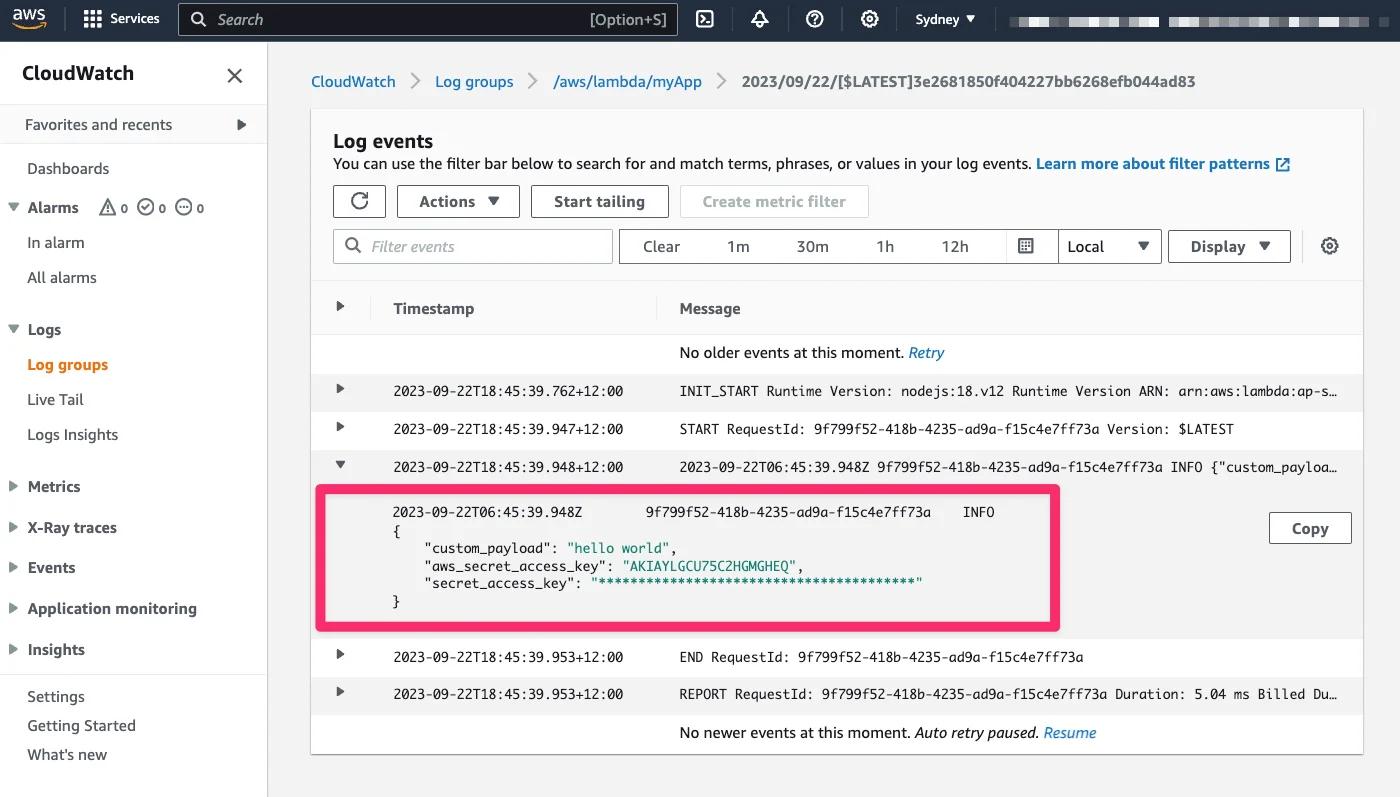
Audit Reports and Metrics
CloudWatch publishes a metric named LogEventsWithFindings when sensitive data is detected. You can use this metric to create alarms. Additionally, you can send detailed reports of detected data (Audit Reports) to S3, CloudWatch Logs, or Kinesis Data Firehose.
Example audit report:
{
    "auditTimestamp": "2025-10-15T10:00:00Z",
    "resourceArn": "arn:aws:logs:us-east-1:123456789012:log-group:my-log-group",
    "dataIdentifiers": [
        {
            "name": "EmailAddress",
            "count": 1,
            "detections": [{ "start": 10, "end": 25 }]
        }
    ]
}
Frequently Asked Questions (FAQ)
1. Is my historical log data masked?
No. Data protection policies only mask data ingested into the log group after the policy is enabled. Existing logs remain unchanged.
2. Can I unmask the data?
The de-identification (masking) process is permanent in the logs. However, if you want to preserve the original data, you can use only the Audit operation or route unmasked data to a secure S3 bucket before masking.
3. What is the cost of this feature?
Metrics published by data protection policies are free. However, standard CloudWatch Logs data processing charges may apply for scanning the logs. Refer to the AWS pricing page for details.
Conclusion
CloudWatch Logs Data Protection is a powerful tool we frequently recommend in our AWS consultancy services to help meet compliance requirements (GDPR, HIPAA, PII). We recommend applying these policies at the account level to prevent sensitive data leakage while managing logs centrally.
For more information:
<div class="toc"> <h3>Table of Contents</h3> <ul> <li><a href="#what-is-cloudwatch-logs-data-protection">What is CloudWatch Logs Data Protection?</a></li> <li><a href="#data-identifiers">Data Identifiers</a></li> <li><a href="#step-by-step-guide-masking-sensitive-data">Step-by-Step Guide</a></li> <li><a href="#audit-reports-and-metrics">Audit Reports and Metrics</a></li> <li><a href="#frequently-asked-questions-faq">Frequently Asked Questions</a></li> <li><a href="#conclusion">Conclusion</a></li> </ul> </div>Kaynak / Source: https://awsfundamentals.com/blog/masking-sensitive-data-with-amazon-cloudwatch-logs-data-protection-policies